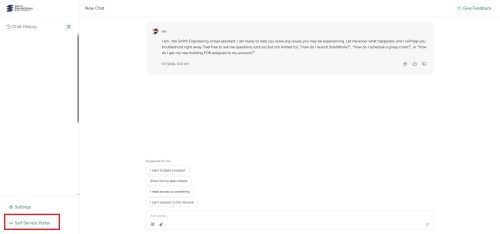
From there you will be taken to the Service Desk AI. You can navigate to the Self-Service Portal by clicking the redirect button on the bottom left-hand corner of the screen.
Please Note!Alternatively, you may ask the Service Desk AI to submit a ticket on your behalf to have a building access ticket created. Please provide the building you need access to, the rooms/areas you need access to, a start and end date for your access, and a rationale for your request.
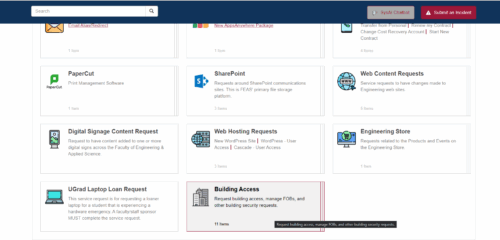
Once in the Self-Service Portal, navigate to the ‘Building Access’ tab.
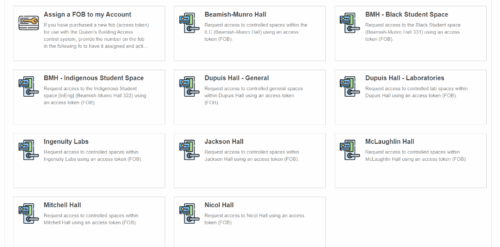
Once selected building access tab, another page will appear with multiple building names. Select the building location in which you want to gain access to.
Follow the prompt and enter your NetID/Name and select the room location from the drop down menu. Submit.
2
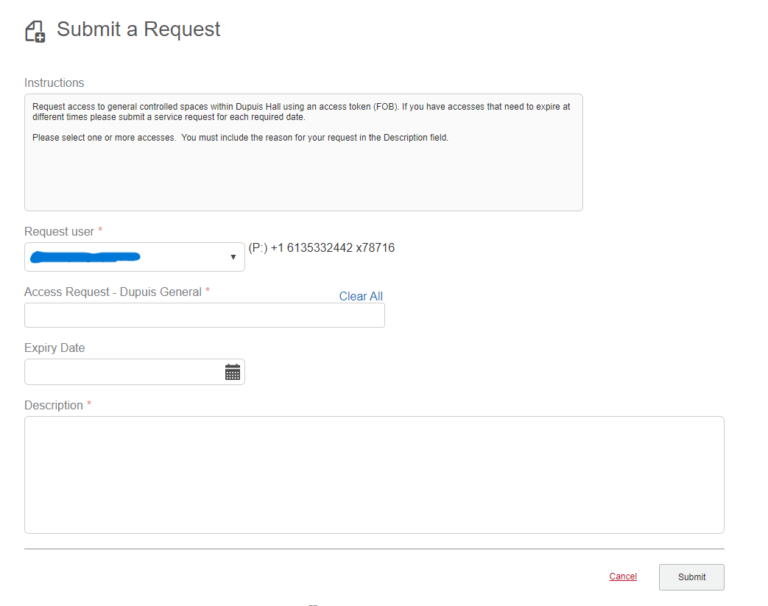
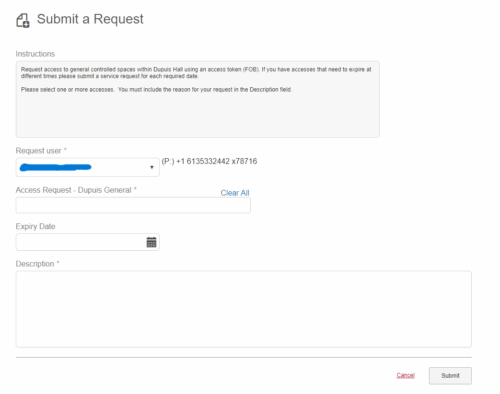
Complete the request form.
Sign into Google Analytics with the Google Analytics credentials stored in 1Password.
The request user should automatically be set to you. Select one or more spaces in the Access Request field. An expiry date will be required for student access requests. Without one the request will almost certainly be denied.
Include a description of why the access is being requested.
Once the form is complete, click the Submit button.