Skip to main content Manage Favourites Jump to: Add an application 1 Click star to favourite Commonly used applications can be added to your Favourites by clicking on the star icon. 2 Yellow star When the colour of the star icon turns yellow, you have added the application to your Favourites. 3 Where your favourited are Favourite applications are found under the Favourites tab. Remove an application 1 How to unfavourite If you infrequently use an application in your Favourites, you can remove it by clicking on the star icon again. 2 Grey star When the colour of the star icon turns grey, you have removed the application from your Favourites.
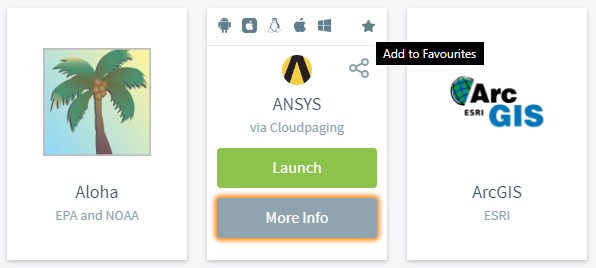
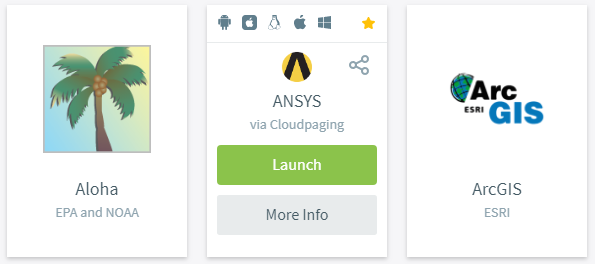
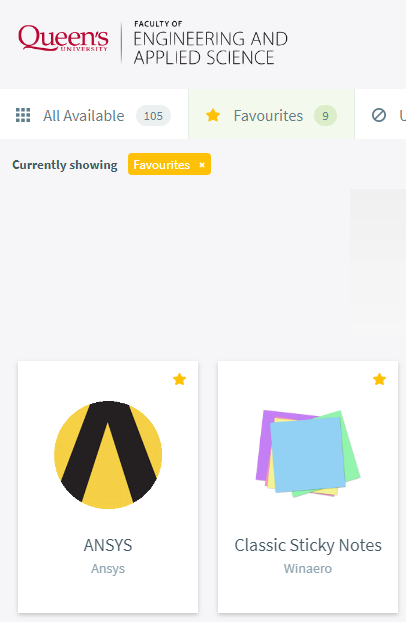
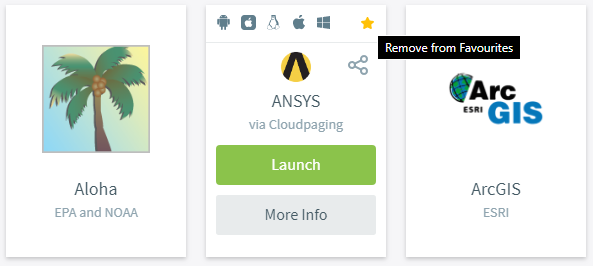
Manage Favourites Jump to: Add an application 1 Click star to favourite Commonly used applications can be added to your Favourites by clicking on the star icon. 2 Yellow star When the colour of the star icon turns yellow, you have added the application to your Favourites. 3 Where your favourited are Favourite applications are found under the Favourites tab. Remove an application 1 How to unfavourite If you infrequently use an application in your Favourites, you can remove it by clicking on the star icon again. 2 Grey star When the colour of the star icon turns grey, you have removed the application from your Favourites.