If you haven’t already, be sure to pair your FOB with the printer you are trying to use. You will be prompted to enter your NetID and password. If you are using a Ricoh printer, you will have the option to scan your card or enter your NetID and password.
1
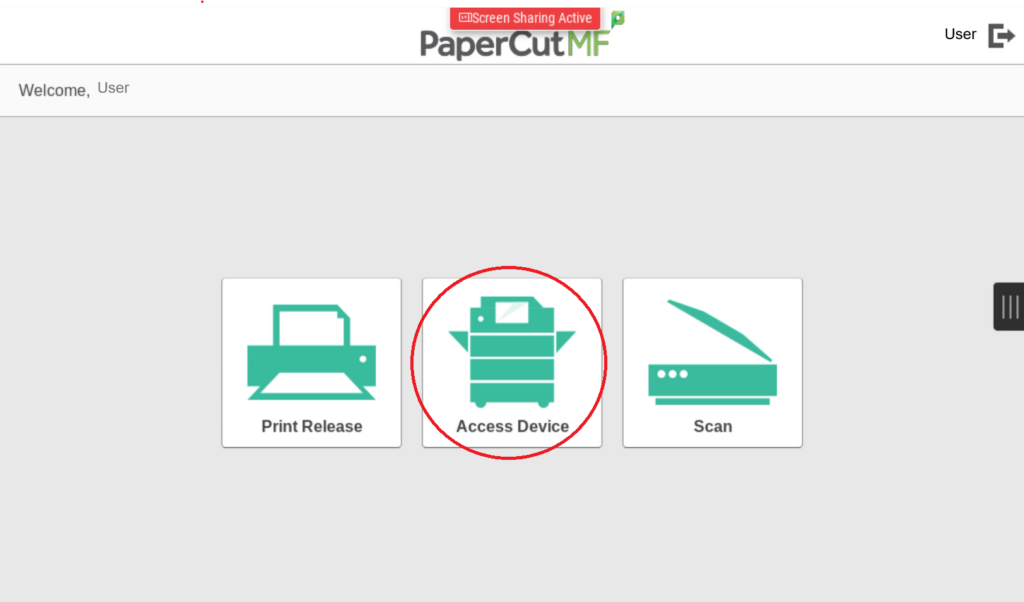
From your Home menu, select 'Access Device'
2
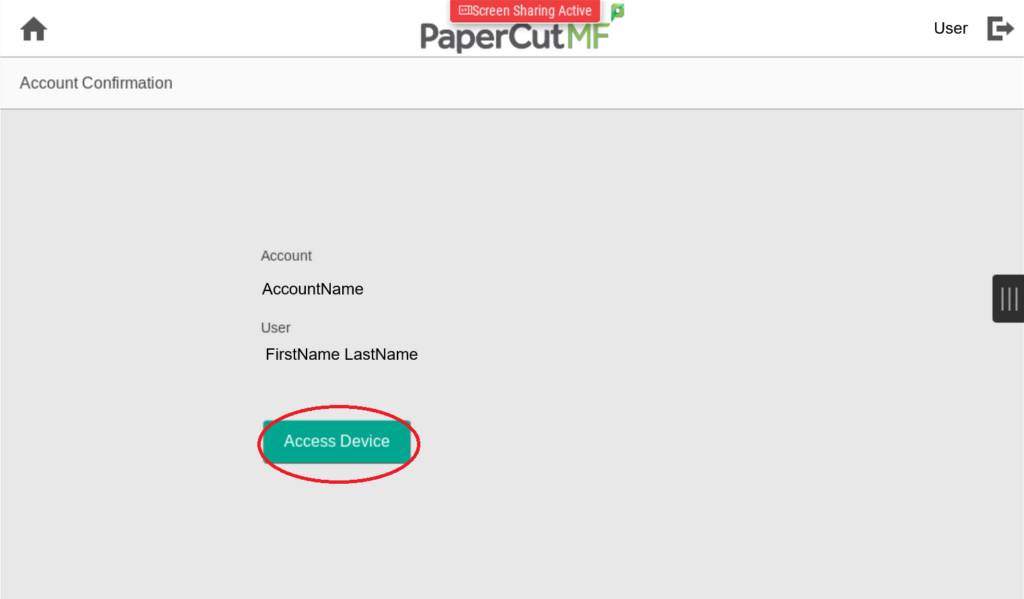
Select 'Access Device' again in the next menu
3
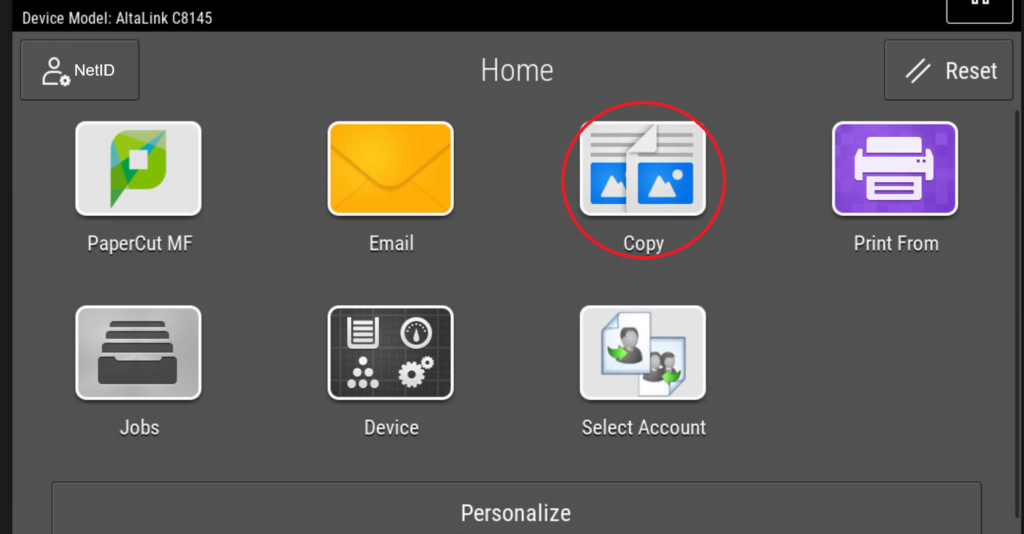
In the new window, select 'Copy'
4
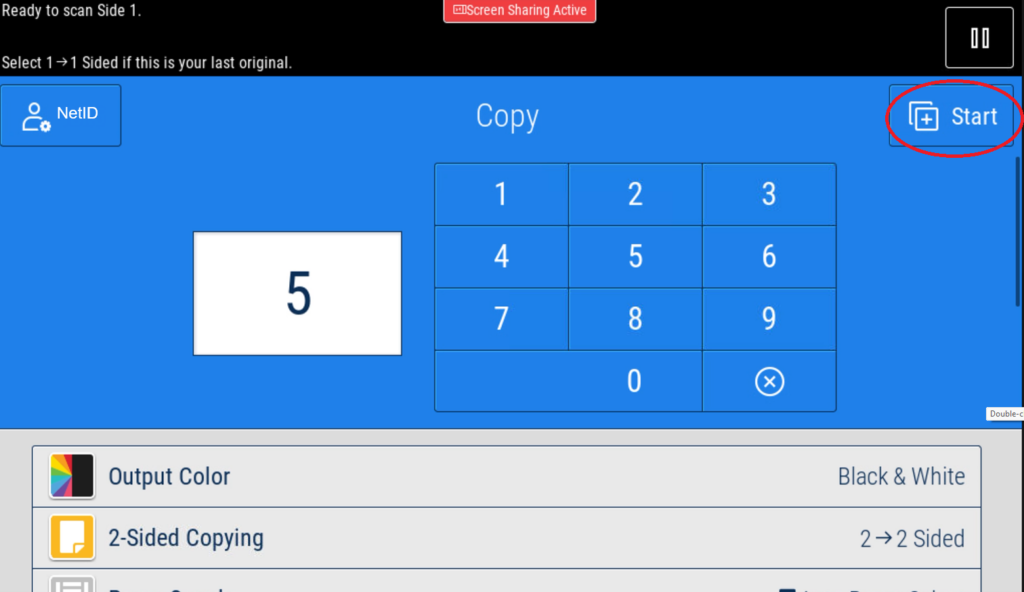
Modify the specifications and number of copies. Click 'Start' once ready